Showing posts with label Wheel of names. Show all posts

Tuesday, 16 May 2023

Creative ways to practise writing, reading and translation skills: Google Earth

This week has been one of those weeks were more traditional activities and the latest cutting edge technology have merged to inspire me!  This morning I saw on Twitter a great writing game, shared by Erin Gray, called "Capture the flag"  to revise for the fast approaching GCSE writing exam. It goes like this: 

Divide your class in 6/8 teams. For the game you will need a set of coloured flags, say 12, per team.  Print your cards and stick them on the board, as shown by Erin on her twitter post picture: 


Give each team a list of typical GCSE questions/bullet points. Students, in teams, write a paragraph for each given question. Once their paragraph is written, they must come to the teacher who checks the paragraph for any mistakes and if correct, students are allowed to pick any flag belonging to any team from the board. If the paragraph is not correct, they must go back to their seats and correct it. 

At the end of the session, points are given to each coloured flag, (see picture below from Erin Gray posted on twitter) so the team with most points wins the game. As Erin points out, it is a mixture between a running translation activity and a group game with the add-on of practising writing skills!


I love the game as it is! Thank you, Erin. However, after attending the third webinar on Joe Dale's series on AI for MFL teachers, and being a BIG fan of Google Earth and Wheel of Names tasks, I was inspired to combine these two tools with Erin's concept into one activity. This is the result

Writing Quest around Barcelona using Google Earth and Wheel of Names

I created a project in Google Earth based on a Writing Quest around Barcelona. Inspired by Joe Dale, I used Chat GPT to suggest 10 famous landmarks in Barcelona and to provide me with a description of such places in Spanish at GCSE level. I added the places suggested by Chat GTP and their description information to my Google Earth project

Then, I went to Wheel of Names and created a wheel with the GCSE questions in relation to Theme 1 for AQA GCSE Spanish (it could have been any theme and I could have used Chat GPT to give me a suggestion of questions, but I had my own). I went back to my Google Earth project and added the link to my wheel of names, at the end of each landmark description. 


This is the result :  Google Earth Writing Quest around Barcelona 

It works like this:

1. Divide the class in 6/8 teams like the original Erin's game

2. Have the sets of coloured flags like Erin suggests, stuck on the board. One set per team.

2. Share the Google Earth link with students via Onenote or Google Classroom

3. Students in teams, you could this in pairs or threes too, open the Google Earth presentation, go to the different places and do two things: 

         a. Translate into English the description of the landmark they are seeing (Reading)

         b. Click on the Wheel of Names link, spin the wheel and write a big paragraph on the  selected question for Theme 1. They must do this without looking at notes. (Writing)

4. One member of the team must go to the teacher to check their writing is correct

5. If correct, like in Erin's game, they pick up a flag from the board from any other team. If mistakes are found, they must go back to their team and revise their paragraph.

6. They continue with the next landmark in the presentation.

I have included 10 landmarks, meaning, 10 translations and writing 10 paragraphs. The translations include nice, new vocabulary, which I will ask students/teams finishing early, to identify and add to their personalised Random Quizlets. 

The whole activity took me 10 minutes to design thanks to Chat GPT. The Wheel of Names can be reused in other retrieval practice tasks for self testing, either for writing or oral purposes. In fact I have a wheel of names for each AQA Theme for this purpose:

Wheel of names Sample Questions for Theme 1

Wheel of names Sample Questions for Theme 2

Wheel of names Sample Questions for Theme 3

The game, adding Google Earth Projects, adds a cultural important element: a virtual visit to Barcelona. If done periodically, you can show different cities where the target language is spoken! Students will need to speak in Spanish when talking among them: real purpose for the activity, which helps motivation!

I hope the idea is clear and thank you again, to Erin and Joe for their inspiration today!

Monday, 26 July 2021

Maximising resources: minimum preparation, high impact tasks

On this post I am focussing on how to reduce workload  by exploiting minimum preparation tasks to be used in many different ways within a lesson or a series of lessons.   

When planning my activities, I always try to create tasks which require minimum preparation time but which have high impact, so students see measurable results. 


These are 5 of my favourite tasks and how I exploit them to be used for many different activities. More activities, which can follow the following pattern, can be found in Simona Gravina's Padlet here .

Battleships

This classic activity can be exploited in many different ways just with a single grid. This is my sequence which gives me materials to last a whole lesson or even two!

  • Listening Battleships: I say a sentence students write the coordinate according to the grid. I tend to do this for 10 or 20 sentences. Sentences are very similar, so students really need to listen to specific verb endings and structures. 
  • Translation codes: I give students coordinates BC, A2, D5 etc.. and they translate the sentences, the codes correspond to. To spice up the activity, I turn the activity into a little competition with a merit given to the first 10/12 students completing the task. We then go through the translations together to check out accuracy with many strategic questions based on grammar which help me to check for understanding. I use this question session in conjunction with mini whiteboards. This allows me to revise specific grammar in context. 
  • Oral Battleships: Students play classic battleships orally in pairs. Normally they tick 8/9 boxes. They need to sink their partner's ships by translating orally, the sentence corresponding to a specific coordinate.
  • Extensive writing: Using their oral battleships choices and those of their partners, students write, collaboratively, an extensive piece of writing using linking words and adding extra information. Students can start planning their writing during the lesson and finish it as a homework task. 
  • Mini Whiteboard work based on the grid and beyond: to finish the lesson, or in a second lesson, I check for understanding by asking students to write down, in mini WB, sentences from the grid, which by this stage they are super familiar with, so the success rate is high, which is important to promote intrinsic motivation. I then start asking students to write sentences moving away from the grid as I incorporate content from previous topics: retrieval practice. We finish the sessions doing this orally, for those who feel more confident.

Stealing Sentences


This Gianfranco Conti's classic can also be exploited to fit many activities:
  • Level 1: just as a reading activity to focus on phonics and pronunciation and help memorisation of chuncks. Students take 4 pieces of paper and write a number from 1 to 7 (or as many as shown on the board) on each piece. Students move around the room and read a sentence from the board to each other. Students steal sentences, pieces of paper, if the person they read the sentence to, has the number corresponding to their read sentence, written on one of the pieces of paper. The student with more pieces of paper at the end of the activity is the winner.


  • Level 2: Same activity but with gaps, encouraging retrieval of key structures.

  • Level 3: After carrying out levels 1 and 2, students play the game again, but this time, they need to translate, orally, the sentences, using the initials as help.

  • Writing activity: After doing the oral activities in the different levels, students write down the sentences in pairs, unaided as a self-test task. How many can they remember accurately? As in the example with Battleships, we go through the sentences focusing on key questioning on grammar in conjunction with mini whiteboards. 
  • Read my mind: Level 1/2/3 of this activity can be used to carry out this classic activity from Gianfranco Conti too, to be done against the teacher or in pairs. I think of a number, which I write in a piece of paper, and students try to guess the number by saying the sentence in the grid. 

Rock Climbing 

Another Gianfranco Conti activity which leads itself to be exploited easily. I follow this sequence:
  • Listening activity: This is led by the teacher. I say a full sentence in the Target Language and students write down the numbers of the different components of the sentence. This listening activity can also be carried out in pairs, where a student says the sentences and their partner identifies the chunks.
  • Writing activity: Next, students write sentences based on my combinations. See example below.
  • Oral activity: Finally, students work in pairs. They write their own combinations in numbers (sentence a: 1,8,14,24)  and their partners, orally, must guess the correct combination by saying the sentence in the target language. Students love this challenge. 


Wheel of Names

I have written many posts on how to exploit this Digital Tool. See this Video here. I follow this sequence:


  • Retrieval practice: I use the wheel of names with sentences in English with key structures, to be translated to the Target Language, for retrieval practice, in conjunction with mini whiteboards and/or orally.
  • Oral practice: I share the wheel of names link with students, and they test each other orally. They need to translate a given sentence, answer a question, conjugate a verb etc.. Students normally do this while playing, Piedra, Papel, Tijera (Stone, Paper, Scissors) so the winner of each round takes a turn to carry out a task. 
  • Writing practice: Students, individually or in pairs, spin the wheel and write down a given sentence in their books or OneNote. For differentiation purposes, some students may need to translate a sentence and extend it or translate the sentence and change it to a different tense etc.. As in the case of battleships, I may add a competition element! Students love this type of activities versus an old fashioned worksheet!
  • Homework task: Students record the sentences orally using the insert audio in Onenote or Flipgrid. Confident students are encouraged to extend their sentences.
  • Appsmashing with Genially: Once created, Wheel of Names can be embedded within Genially to create oral board games.

Flippity 

This is another digital tool providing activities, which take only 5-10 minutes to create and can generate tasks for a whole lesson or even more. For a video on how to do so click here. 


  • Retrieval practice: I use the Flippity Random Name Picker to write key words and verbs that students must know well. After 5 minutes doing this, I ask students to write a sentence with the given key word/structure using mini whiteboards. 
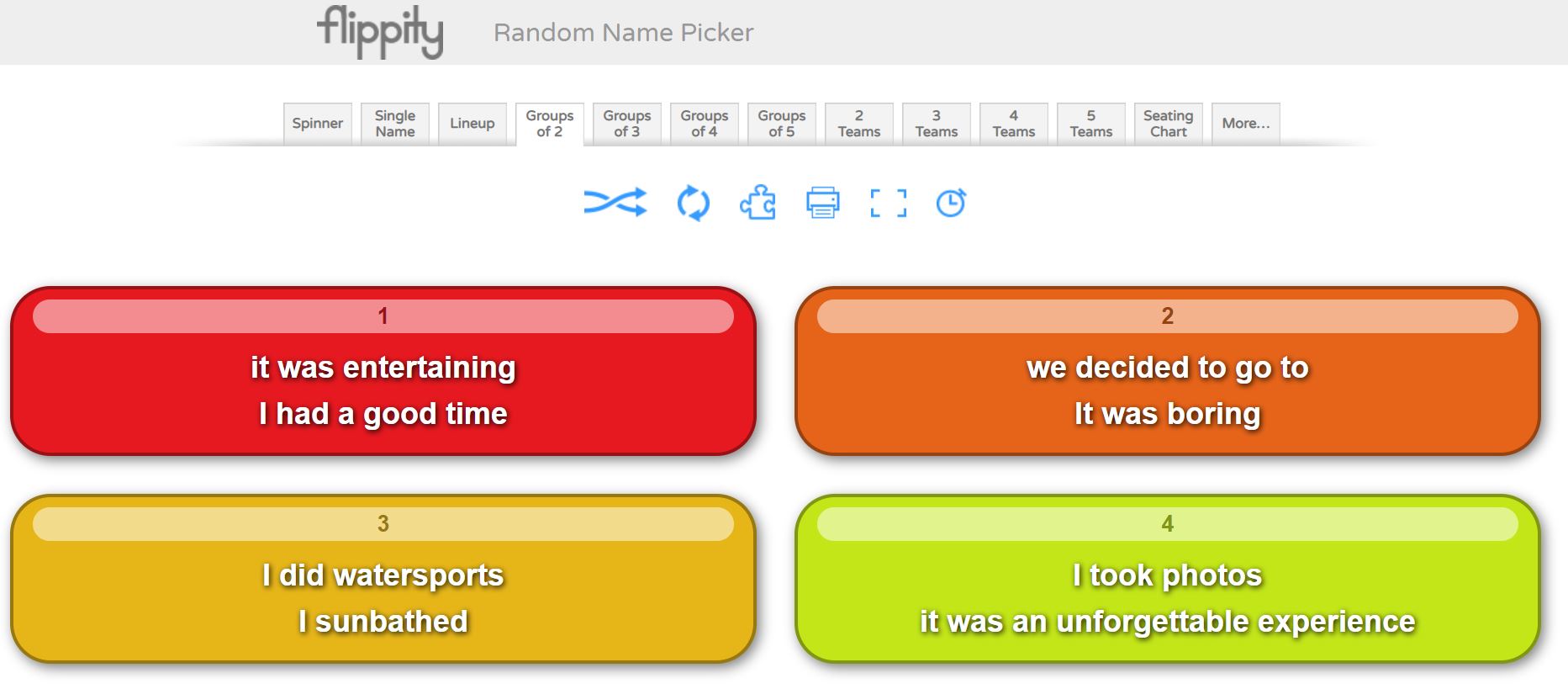
  • Extensive writing: I use the Groups of 2/3/4/5 in Flippity, within Random Name Picker, (increasing the difficulty), so the application will group my key structures into small groups. I set up the timer and students need to write a full paragraph using all the structures in each group in the time given. Rewards are given to those who manage to write a very good paragraph within the limit. At this point, like in previous activities, key questioning on accuracy to check for understanding and consolidating grammar is extremely valuable. The activity can then be followed up as a homework task.
  • Oral work: I share the link with students, who carry out this activity orally in pairs within a given time using the timer in the app. For homework, they can also carry out this oral activity recording themselves using the Insert Voice feature in OneNote or Flipgrid.
These five tasks, which do not take long to prepare and are not fancy, although I love beautiful created resources, provide me with a whole lesson worth of tasks + homework. All tasks are engaging but also allow students to learn successfully. As they are easy to prepare, these allow for personalisation of the learning to specific classes. It is what I call minimum preparation time and high impact, sticky tasks.

Thursday, 8 April 2021

Blended Learning made easy

Following my presentation yesterday in the UKedChat Conference 2021 on how to have impact lessons via Digital Tools, I have started creating a series of short videos demonstrating how I exploit a Digital Tool in my lessons in a blended learning scenario. 

If your students do not bring their own device to school, remember that many of these activities can be carried out with a mobile. I know there are rules about mobile use in the classroom, but after the digital revolution we are living, I firmly believe that mobiles should be allowed in lessons when it is required by the teacher, maybe that's something you can talk to your SLT. We have certainly changed rules regarding using mobiles in lessons in specific scenarios. 

MOST OF THESE ACTIVITIES WILL TAKE YOU  ONLY 5 OR 10 MINUTES TO PREPARE!!!

Blended Learning Demo 1 How to maximise Flippity 


Blended Learning Demo 3: How to use Boardgames with Genially


Blended Learning Demo 4: Quiz time! Quizizz and Carousel Learning


Blended Learning Demo 5: How to maximise Flippity with the randomizer


Thursday, 17 December 2020

Gamification in the MFL classroom: Deck.Toys

I believe in gamification, especially in MFL as the subject relies in constant drilling and practice of structures and vocabulary until these are embedded in our linguistic corpus. It is not easy, especially in the UK with limited curriculum time. Languages can be perceived as challenging and, worst of all, boring! 

Structured and careful planned game activities can be key to engage students, practice the language from different angles and help students to transfer information into their long term memories! 

Gamification can occur in many ways and shapes! Any element of competition, even in zero preparation activities involving oral input can be a game changer! 

I play games all the time! From the modelling stage, to controlled practice to spontaneous production! However, in this post I would like to talk about Deck Toys. 


Deck toys

This lovely tool was introduced to me by Jimena Licitra a few weeks ago! The concept is that teachers create a learning path or deck. The deck is full of different challenges or online activities that students must complete while they advance through their path, normally simulating moving around some idyllic landscape or boardgame!

But this is not all, the app is very powerful as it allows you to create two types of activities:

Study set games, based on some vocabulary/structures input (you can transfer your Quizlet courses for this) or

Slide Activities which allows you to upload any word, PPT, PDF or worksheet/presentation and make it interactive by adding different functions to it for students to interact with: polls, text input from students, drawing input, photo, oral input or multiple choice questions. 

The app also allows you to add some cool elements such as a treasure keys collection function, which allows students to collect different hidden keys along their learning path, which will open certain locks at the end of the end of the learning path; locks to enter different activities, timers, web links etc...  

You can also embed your own activities from sites such as LearningApps, WordWall, Flippity or Wheel of Names to include listening, filling gaps etc.. as part of your learning tasks challenges! This feature is super important as it allows me to recycle other activities in a different setting, saving me time!

Once created, you need to make sure you create a class and assign your deck to this class. The app generates a unique class url that you share with your students. When students click on it, they join the activity signing in with their Google/Microsoft accounts, or just as guests. 

The app also allows you to interact in real time with your students if working remotely!

You have access from your class, to the answers that your students submitted as part of their deck, which you can review and check for understanding.

You can do three decks for free before going pro, paying around £8 per month.  This would be great for a department to generate, end of unit practice! 

How do I use it? 

Creating a meaningful Deck!!! Students start by practising the language we are working on via the Study Set Games (flashcards, matching, memory game, multiple choice, jigsaw etc..), whose content I just copied and pasted from my quizlet courses!!! to move quickly to activities including Reading, Translation and Listening using LearningApps, Wordwall or Flippity which allows students to practice the studied language within context in a controlled way!

I like the feature of collecting keys!  You can put these keys at the end of any activity as a reward! Once collected, students can enter them into specific treasure boxes, giving a motivation to your activity, a little bit like a Escape Room! Students get points too as they advance through the deck! 

If you add Locks to your activities, then you have a Escape Room, as you cannot enter the following activity until a code is entered (I use Verbs in different tenses). 

The final activity of my deck would be a freely produced oral or written activity, using all the structures and verbs practised via the reading, listening and translation activities of the deck.  This does not need to be part of the learning path, but the subsequent activity and the purpose of the deck!

Look at this example for the topic of School in Y10:

Link to ALL my DeckToys activities

Tutorial on how to use DeckToys


Final Veredict!

I like it. I like it a lot! but it can take some time to set up if you go for a complex Deck from scratch!  However, if shared among the department, it is fine! Three Decks is not a lot! so if you like it, you will need to go pro! It takes some time to get used to the way it works but it is not difficult at all, just some time consuming for the first time, but the same issue I find with Genially!

You can use Decks from other educators and modify them or just use them!

Overall, this is a great app that can really enhance the learning experience of the students but you need to plan carefully all the activities that you will use in your deck and to maximise its use, reuse those old worksheets or those great activities in other apps!!!

Link to a postblog written by me for DeckToys


Saturday, 12 December 2020

Embedded retrieval practice: the next level

You may think I am obsessed with retrieval practice but it is so important in order to keep students motivated and make progress that a big percentage of my lesson time is dedicated to this. 

A few weeks ago I read an article by Marc Enser on some research on retrieval practice. In the article Marc explained how two departments in their school (History and Geography) wanted to see the impact of retrieval practice in their students’ results. They used quizzes in their lessons for this. Both departments got an improvement in their test results but Geography’s were much higher. When they analysed the data and tried to explain this discrepancy, they discovered that History used to do a quiz in each lesson from previous knowledge but not related to the content of the actual lesson. Geography, on the other hand, did also a quiz but this was embedded in what students were learning in the lesson, hence, helping students to consolidate and embed learning in this long-term memory more successfully than the History department. This is powerful and it relates to my own practice.

Retrieval practice must be embedded with new content constantly so language becomes automatized and students can transfer structures freely from different contexts!

All activities done in lessons with new material should include structures from old topics applied to these new contexts while also making reference to the content from past topics. Planned activities and homework tasks should give students opportunities to practise past content as a matter of fact:  When asking students to practice sentences on school topic, why not including sentences from holidays and, most importantly, adapting those structures from holidays into the new topic of school?  When planning activities for Y11 students on the topic of festivals, why not including also content from work, free time and holidays? why not applying structures seen in the topic of free time "juego al fútbol desde hace 3 años" in this new topic "trabajo de canguro desde hace 3 meses"?   

Digital tools for embedded retrieval practice 

In this post I wrote, extensively, about different apps that I use for retrieval practice but I would like to add a few which I have used since while still mentioning the old ones! 

Spiral.ac

This is the new kid on the block in my teaching! Introduced to me by Laura Causer during the Show and Tell Webinar of the Language Show, this tool has revolutionised my retrieval practice strategy and saved me time!!!! 

Spiral is basically, like Wooclap or Mentimeter, an interactive response tool. What’s the difference with the two previous apps? You need zero preparation if you use the QuickFire light option! 

Basically, you open an account, create a class (you don’t need names), select the QuickFire light option from the home menu, select your class and share a special URL and code with your students (these will also be the same for that class every time you launch the QuickFire, so my students have bookmarked it). Similar to Kahoot, Mentimeter etc....

Pupils log in with that special code (not additional login required) and you will start seeing their names appearing on your screen. When you are ready to ask questions to consolidate and retrieval previous knowledge, you just press the green go button!

Students then start writing their answers to your question, which will appear on the screen, only when you click on “reveal answers”. This option is great as students cannot copy each other and you can wait to reveal answers once everyone has submitted their input. To increase pace, I encourage early birds, either to check their answers or to extend them so they do not sit down doing nothing while partners submit answers, great for differentiation too! 

At this point you may select “show names” too or “hide the names”: I find this little action powerful as sometimes you may want to give confidence to students who tend to make mistakes and you may decide not to show their names until a later stage. 

However, when you decide to do so, the students’ names will appear with their answers on the screen! Big plus from Mentimeter or Wooclap and students can also modify/ improve their answer if you prompt them to do so. Great tool for feedback too.

Spiral is basically an interactive mini whiteboard and it is ideal for hybrid situations when you have students online and students in the classroom! Also no need to sanitise mini whiteboards after single use! In action it looks like the pictures below:


LearningApps

In my previous post I explained in lots of detail all the activities that can be achieved with this tool. The golden rule is to use these activities blended in the learning experience and incorporating structures and vocabulary from previous studied topics! Below there’s a how to video guiding you how to use the tool. 

How to use LearningApps video


Flippity 

Another great free tool for Retrieval Practice! The randomiser and Random Name picker are great tools for retrieval practice! Instructions are straightforward and you will need a Google account. 

Extended uses of how to use Flippity can be found in this Post. 

Quizizz

This tool allows you to create personalised interactive quizzes, incorporating sound too so great to revise oral questions while also checking listening comprehension! 

How to use quizizz video 


Carousel Learning

This is another of the new tools I have started to use in the last month. Designed by Adam Boxer, creator of Retrieval Roulettes, which Julia Morris talked about during the Show and Tell Webinar in the Language Show, Carousel Learning is also a free tool which allows you to upload a spreadsheet with as many items (Qs) as you want to include, and topics. As my input, I use short sentences that students need to translate into Spanish.

 In your spreadsheet you must include your question (English sentence for me), the answer (Spanish translation) and the topic it refers to. There is a template in the site to get the setting right! Once this spreadsheet is uploaded, Carousel Learning allows you to create specific quizzes on particular topics, which you can rotate and assign to different classes. There are also many quizzes questions from the learning community for you to use too!

Why do I love Carousel learning? Because students do not get immediate feedback but they are presented with the right answers at the end of their quiz. Students then must decide if they were correct or not. I think this feature is extremely powerful for independent learning and making students take ownership for their own mistakes and improvement!!! What did I get right? What did I get wrong? Why? And look for help! Although it needs training! 

Jane Basnett has created this súper video on how to set up a quiz on Carousel learning. It is extremely informative and well explained so a must watch! 

Genially

I love this tool!! There are many talented Genially people in the UK such as Marie Allirot or Julia Morris who actually make their own genially activities from scratch! 

However, I am lazy, so I use the templates provided in the gamification section! You have many interactive free games such as Snakes and Ladders or Escape Rooms, which you only need to modify to fit your retrieval practice input! I love genially because through games students reinforce those key structures! Genially also embeds smoothly into Onenote, which I use for my lessons, although you can just share your genially game with your classes the way you want to!

You can also embed your LearningApps to the genially game questions! How cool is this?

How to use Genially video (using the app templates)


Wheel of names

One of my favourite apps! For an extensive explanation on how to use Wheel of names in the classroom and in a blended learning situation have a look at this post.

To find out how Wheel of Names works, have a look at the video below:

How to use Wheel of Names video


Textivate

Let’s not forget the basics! This is not free but it is brilliant for retrieval practice! I love every feature of it! It is very affordable. It is an improved online version of Taskmagic: same creator Martin Lapworth. 

Example of Textivate activity based on Tourism and Transport (embedding principle).

Other tools you can explore!


BLOOKET 

This is a tool which allows you to create your own little games, which you then share with students. Students get tokens and rewards for completing the games. In my opinion, more suitable for KS3. My only reservation is that the games are based on multiple choice, which, I, particularly, am not keen on. However, still a great tool to revise those key structures, especially similar ones in different tenses!

WORDWALL

Similar to LearningApps but you can only create a limit of activities unless you go premium! You do not have the embedded audio facility, which is a shame! However, the activities are very eye-catching and attractive for young learners!

GIMKIT

Many people are using this! It is not free and I have not used it myself yet!  The Intruders game seems like a hit on twitter and many people have recommend it to me.  I need to explore this one!

DECK TOYS (thanks to Jimena Licitra for this) 

This was introduced to me only a few weeks ago by the amazing Jimena Licitra and it has lots of potential! However, it will require some time to create your resources.  This app allows you to create interactive learning paths for your students! It looks very, very powerful and engaging but you will need to dedicate some time to it! You can have some free decks, or learning paths for free but after that there is a premium to pay. You can also use decks created by others! If structured well, this should be an extremely engaging tool for topic revision and retrieval practice of key structures. Watch this space!

So, retrieval practice is important, very important. So important that it should be present in every lesson you do by embedding content and structures from all topics all the time. Using these tools allows me to do so in a motivating and engaging way! However, do not get me wrong, retrieval practice can be done without technology. 

Embedded Retrieval Practice must take place at all stages of learning, ALL THE TIME and it must be planned thoroughly via meaningful activities, especially in the Practice Stage of learning!


Sunday, 15 November 2020

Language Show 2020 Presentations and Webinars

Thank you so much for the feedback I received today from both of my webinars in the Language Show. It has been amazing to read your comments, contributions and ideas! We learn from each other.

As promised the Webinars presentations and Videos are below.

Motivation and engagement in the MFL classroom: let's play, let's speak!


YOUTUBE LINK ON MOTIVATION


Stickability beyond the classroom: delivering high impact lessons via the use of IT tools.


Sunday, 11 October 2020

Tackling Writing, the interwoven skill: from KS3 to the GCSE exam

On this post I am going to focus on the skill of writing and how to develop accuracy as well as content and rich language. All key elements of the GCSE writing mark scheme. 

Writing is even more important this year as the oral exam, as such, is not going to take place, so on its own, this skill will hold 33% of the total GCSE mark.

Writing is intrinsically linked to accuracy, use of grammar and translation skills. Writing can support oral skills beautifully, as the content is the same for both exams. This is even more the case in Spanish and German as they are phonetic languages, so both skills truly correlate. Writing is also core for retrieval practice and a key tool to memorise vocabulary in many students. In other words, writing is the interwoven skill which underpins many others!


Below you can find some of my favourite techniques to practise writing and tackle accuracy and rich vocabulary use as from Y7!

Writing as a stickability, learning tool!

Any structure or key vocabulary that we want our students to embed in their long term memory, can be practised via writing. After introducing Sentence Builders, doing listening and reading tasks, before moving to controlled production via oral activities, I always plan writing tasks to help my students memorise key structures. 

1. Writing short sentences with mini whiteboards via Dictations

This technique is great for modelling and extremely powerful to practise key structures from current and previous topics. It means modelling via listening and writing at its best! Dictations are also great to train students' brain to recognise the link between phonemes and graphemes. As a teacher, in its simplest form,  I dictate  a sentence in Spanish and students write it down using mini whiteboards. Delayed Dictation is great here too for memory retention! Dictation in pairs works great too. 

2.Writing short sentences with mini whiteboards via short translations.

Same as above but I say sentences in English, based on our SBs, and students translate them into Spanish. Students get immediate feedback and the activity can lead to meta linguistic discussions with students, which they love: why this verb must end in a and not ar? Why la gasolina es caro would be wrong? How would we say it makes us feel good if we know me hace sentir bien means it makes me feel good?

To make it more interactive, I use small incentives: every three correct translations students get a sticker. Students keep a tally in their Onenotes and 15 stickers equals an Alpha. (Our school reward system). 

To make the process even more fun, I use taskmagic flashcards with pre thought key sentences showing initials in Spanish for support for less able students. 


Also, wheel of names works fantastically well this way and adds to the unpredictability aspect. I spin the wheels and students need to translate the sentence that both wheels show in English.


The randomiser activity in Flippity is also an invaluable tool for this technique. I click on the lever and students translate, using their mini whiteboards, the combinations showing. Vincent Everett and Mike Elliot use the randomiser for reading and oral practice too, in combination with Flipgrid. 


After one lesson practising controlled writing in this way we move to controlled oral practice using the same sentences but now to be carried out orally, instead of using mini whiteboards. This helps tremendously with fluency! 

3. The Random Name Picker feature in Flippity 

I have already talked about the Randomiser activity in Flippity. The  Random Name Picker activity is also very powerful if used with key vocab instead of names! You can choose, a spinner (similar to wheel of names) but also Group of two, three, four of five! These modalities create boxes with  two, three, four or five of the structures that you previously inserted. See example below.

As an initial activity, I ask students to write a long sentence using the structures within box 1. To make it more challenging, I ask students to write a paragraph using boxes 1, 2 and 3, in lessons they do this with mini whiteboards. This is a very powerful and fun activity which will test the creativity of students and will move them away from mere translation tasks. As homework, this is also a great task.


4. Writing short sentences and paragraphs via Quizizz

I love Quizizz! It allows me to create my own quizzes and tests for retrieval practice and to practise writing skills! 

The modalities of Fill in the blank, where sentences in English have to be translated into Spanish, with immediate feedback for students and Open Ended, are my favourite! For the Open Ended modality, I write a bullet point in the style of the 90 words GCSE writing exam, I set the quiz for 5 minutes maximum per question, and they write down a paragraph covering the bullet point showing in the question in that time. It looks like this from the student's point of view:


This type of activity is very powerful after carrying out mini whiteboards tasks, and a Fill in the blank quiz. I would expect students to recall information from memory only, to do this. Students know that for each bullet point, the quiz consists of a maximum of 5 bullet points, they need to cover the point, give a justification and an opinion and make reference two at least two tenses. This would have been practised endlessly in my model sentences. 

5. Writing pyramids 

This technique has been inspired by Gianfranco Conti. It can be carried orally or in writing. Students work in pairs with mini whiteboards. I give them two writing pyramids in English, A and B, starting with a structure at the top and finishing with a short paragraph at the bottom of the pyramid. See example below.


Each student also gets their partner’s Spanish version of the pyramid. Student A starts translating the pyramid in their mini whiteboard and student B makes sure it is correct, if a mistake is made, student A must stop and wipe their board. Student B has a go with their pyramid, then, and student A checks that no mistake is made. When a mistake is made, student A starts translating again. Every time a student takes a turn, they must start from the top! This reinforces key structures, grammar and use of accents!

6. Tangled Translations

Students translate a paragraph into Spanish but the original text will be partly in English, partly in Spanish! 

7.  One pen one dice

The classic translation game! Students work in pairs. Student A starts translating a given text while student B, using a digital dice these days, rolls a dice until they get a 6. When they get a , student A must stop translating and student B starts doing it while student A rolls the dice. I tend to do this activity for about 10 minutes for fun and after that I just tell the students they must work on their own and translate the text freely. My experience is that otherwise, pupils may get extremely frustrated and give up!

A link to a digital dice can be found here

I love Vincent Everett suggestion of using this activity for students to make short sentences from their Sentence Builders, orally or in writing. This way, students make as many sentences as possible from a given Sentence Builder sheet, until their partner gets a 6. 

8. Running Dictation

This is a fun dictation activity in pairs! Students work in pairs. Texts in Spanish are placed around the room. Student A runs to their text, reads it, tries to memorise the information and runs to student B to whom they dictate what they memorised. Student B writes the information down. At the end, students check their written version to that of the text. It provides a great model example which can lead to reading and grammatical analysis of the text. 

9. Dictogloss

This is another multi skill-activity, incorporating, listening, reading, speaking and writing. I like doing this activity with two texts A/B. In pairs, students first work through text A and then text B, which are very similar!

1. Student A reads text A and writes a summary in English. Student B reads text B and writes a summary in English too.

2. Student A, using their notes in English must translate the text into Spanish to their partner who listens and transcribes in target language.

3. Student B completes step 2 with Text B

4. Both students compare their transcription with the original texts.  

10. Battleships 

I create a battleships grid which we have previously worked with for listening and speaking. As a writing task, I give students 15 or 20 coordinates and students write the sentences corresponding to these.  B1, B5, C5 etc.. 

Again, an extremely easy and versatile activity which really reinforces the grammatical and vocabulary structures that I want students to focus on. For high ability students, I ask my pupils to extend the sentences.


11. Four boxes

I learned about this activity from FaceBook, sorry as I do not remember from whom, and I love it as it does not require any preparation. I display four boxes in my screen and ask students to translate a given sentence using their mini whiteboards, after all show their mini whiteboards I ask for a volunteer to read their sentence, if it is correct I write their name in one of the boxes. I repeat the process four times, so all four boxes are filled in with a name. The fifth time, the volunteer student needs to choose one name in the box to be kicked out so that their name can be written in box instead. After some time, say 20 minutes, the four names in the four boxes win!  Students love this game and become extremely competitive. It works even better orally!  I use it in conjunction with TaskMagic or Flippity Randomiser. Mind that you need to know your students well and the relationships in the groups must be good. If you have a digital timer that students do not see, it makes the experience unpredictable and more fun. Thanks Vincent Everett for the tip! 

12. Slalom/Translation writing activities 

Another Gianfranco Conti activity, which he suggested that I added to this repertoire and which I have used on some occasions too. The idea is to present students with a grid of chunks in English or Target Language, which they need to manipulate to create their own paragraphs. With low ability students I find it is best to give them a list of sentences or a short paragraph in English for them to translate by combining the different chunks. High ability sets love creating their own paragraphs or sentences, these students will also benefit from being encouraged to use other language, apart from that in the grid, which promotes language manipulation. 

13. Editing writing tasks

Another suggestion from Gianfranco Conti to this blogpost. It’s simple! Just provide a model writing task and ask students to edit it by changing key words, modifying the tense it is written on, making the writing better by writing reasons and opinions or adding extra tenses! It works well if students are presented with a list of sentences that they need to make into a whole paragraph. Great if it is done like a competition in a collaborative way in teams: which team can write the best paragraph based on these sentences? Students can share their writings using Padlet and learn from each other's answers. 

Writing Tasks with Checklists

When handing out a writing task, I always include a check list to help students in the writing process: use reasons, use opinions, use at least three tenses, use key high impact expressions, use vocabulary from past readings and listenings. 


Use of sentence builders and random vocab

These are great for writing and students should know them really well as all of my SBs are linked to a specific quizlet course! However, I also make students create their own quizlet set with random vocab found in listening and reading tasks, which they must learn! 

When carrying out writing tasks, I expect them to use their SBs but also at least three expressions from their own personal random Quizlet. This improves their use of language massively if required to do in all longer Writing tasks!

I also practise this random vocab in conjunction with flippity: create a sentence with box one and two expressions from your random quizlet course. This works really well with high ability students.

Creative and Collaborative writing: Project based tasks

Once students have practised the language in the controlled, production stage of learning, via many translations and small creative paragraphs, they should be ready to write on their own following some guidelines.  At this point, project based tasks to be carried out individually or collaboratively with partners can be very motivating. If these tasks are part of a project with students in another country via eTwinning you have a winner!  For these type of assignments I tend to use Padlet or Google Slides. These projects tend to be carried out towards the end of a topic and are common practice at KS3, unfortunately much more difficult to fit at GCSE level!

1. Y7 Art Project on Miró and Picasso

This project includes Writing and Oral tasks, as well as creating your own Miró styled work of art. For full details and materials for the project, visit my post, The power of Culture, here. Scroll down until you find the Y7 project. 

2. Y8 etwinning project 

Rutas Molonas, a project designed to write about student's own regions.  This is done with our partner schools in France and Spain. Information on the project, can be found in my post, The power of Culture, here. Scroll down until you find the Y8 project.

3. Y9 cinema project

So far we have studied Voces Inocentes but this year we are going to study Coco. We will dedicate the whole Easter term to study different topics through the film with the intention of creating a Coco Film online book display on the film. Watch this space, as I will dedicate a post to the project and all the materials used for its delivery.

4. Y10 exchange experience project

In Y9 and Y10 students are given the opportunity to participate in a exchange. As part of their experience, students, in conjunction with their partners in Spain need to create a blog diary, using Padlet, of their experience there. This is collaborative and creative writing tangled as one and the results can be awesome!

How to tackle the second writing task in the GCSE exam

To prepare my students for that second task, I do all the above activities but also in Y11, every two weeks, we do a Timed Writing Task. Students are presented with a Writing Task sheet, see below.

Writing Task two Titles for GCSE

Every two weeks, for homework, students must prepare a task from the list above, which I select. I start with writing tasks incorporating topics from Y10. Students prepare their writing and during our lesson they write 150 words in 40 minutes from memory, only having the two bullet points in front of them for support. I start this process, every year, after Half-Term in October and we continue it until study leave. It works wonders as we recycle all writing tasks. 

I mark these writings using the AQA GCSE mark scheme. I highlight careless mistakes, which they must correct or add to, if not enough opinions given for example, as part of a second homework. 

Make the link between the General Conversation in the Speaking exam and the Writing exam

If, as part of homework students need to practise their oral questions for the speaking exam, make the next writing linked to the same theme/topic as this oral task. There’s a clear link between both exams and students need to understand such link!

They must realise that by revising potential oral questions for the general conversation they are, in fact, learning potential content for the writing tasks. Understanding this link breaks down the gigantic task of preparing four separate exams and the GCSE preparation, becomes a more topic based exercise: same structures to be used in four different ways! Such concept is also reinforced by using multi skilled activities and the same type tasks to practise different skills, for example Battleships for listening, oral and writing. Students must understand that all skills are interwoven and must be practised interlinked with each other.


Sunday, 27 September 2020

Blended Learning: "How to " Tutorials for my favourite Digital Tools


have talked a lot about Digital Tools and how these can support my lessons, creating a Blended Learning experienced in my classroom.  See my post here

On this post, I am sharing some quick How to videos on how to use these tools in the classroom to create a Blended Learning experience.  These tools were also invaluable during lock-down!

In the videos, which are not edited so apologies if they are not perfect, I show how I create the resource and I quickly explain possible uses in the classroom for MFL but also for other subjects!

These tools are great for Retrieval Practice and when implemented in the classroom where students bring their own device, you suddenly have Blended Learning in action!  I use Onenote to share the activities created this way.  However, Google Classroom would be equally good. 

Since September, all my students bring their own device to lessons and they open their Onenote. I teach using, face to face techniques, activities through my board but also via activities using the apps from the videos, which have been previously shared via Onenote.  

During lessons, some students may work on the activities online while others may do oral work with me, or the whole class may work through the activities online. This is how I have been teaching for the last three weeks and my students love it!  Rather than doing an old-fashioned worksheet, students may do a Quizizz, Wheel of Names or a LearningApps activity!  As we cannot use board games now, students play board games (for oral, translation practice) via the Genially free digital boards!  

I have tried to maximise all the knowledge I acquired during Lock-down from amazing educators such as Joe Dale, Helen Meyers, Jane Basnett, Vincent Everett or Marie Allirot to just mention a few! I hope you find the video guides useful!  There are more guides to come: Flippity, Flipgrid and Padlet but on a second post as this has taken most of the Sunday morning to make. 

How to use Genially for Board Games in the Blended Learning Classroom


How to use Quizizz in the Blended Learning Classroom


How to use Google forms to create a simple Escape Room


How to use Learning Apps in the Blended Learning Classroom


How to use Wheel of Names in the Blended Classroom 


How to use Spiral.ac in the Blended Classroom


How to use ClassroomScreen in the Blended Classroom


Exploring Gemini Gems in Google Classroom: Study Partner

I hope everyone had a wonderful half-term break! In this post, I would like to share how you can create a Gem Assignment in Google Classroom...